npm Was Hacked. Here’s How to Stay Safe as a Student Developer

VikizCode Team
April 1, 2026 · 6 min read
✨ AI-Generated Summary
A practical guide for student developers on how to protect their projects after the recent npm security incidents. Learn to audit, verify, and trust your dependencies.

“A simple guide to understanding npm risks and how to stay safe as a student developer”
The Hook: Trust in the Terminal
You open your terminal.
Run npm install.
And trust that everything is safe.
Because… why wouldn’t it be?
Most of us don't think twice. We see a package in a tutorial, copy the command, and hit Enter. But what if that package wasn't what it seemed? What if, behind that simple install, there was code designed to steal your data or break your project?
Recent incidents have shown that npm isn't bulletproof. Here is what you need to know to protect yourself without being a security expert.
What Happened? (The Simple Explanation)
In recent months, the npm ecosystem has faced several security challenges. Some popular packages were compromised, and malicious "typosquatting" (creating packages with names very similar to famous ones) became more common. This exposed a fundamental truth: the dependency chain is only as strong as its weakest link. Programs we trust blindly can sometimes be used as backdoors into our systems.
And the scary part? Most of these issues don’t look obvious while installing.
How the Dependency Chain Works
And you don’t see any of this happening.
When you install a package, you aren't just getting one file. You're getting every single sub-dependency that the author included. If just one of those is compromised, your whole project is at risk.
Why Students Are at Risk
As students, we are the easiest targets. Why? Because we move fast and "just want it to work."
- Tutorial Blindness: We copy-paste commands from 3-year-old YouTube videos without checking if the package is still maintained.
- Blind Trust: We assume that if it's on npm and it has a cool name, it must be safe.
- Lack of Verification: We rarely check who wrote the package or how many people are actually using it.
Speed is our biggest strength… and sometimes our biggest weakness.

The Real Risks (Grounded in Reality)
It’s not just about a hacker "taking over your laptop." The risks are more subtle but equally damaging:
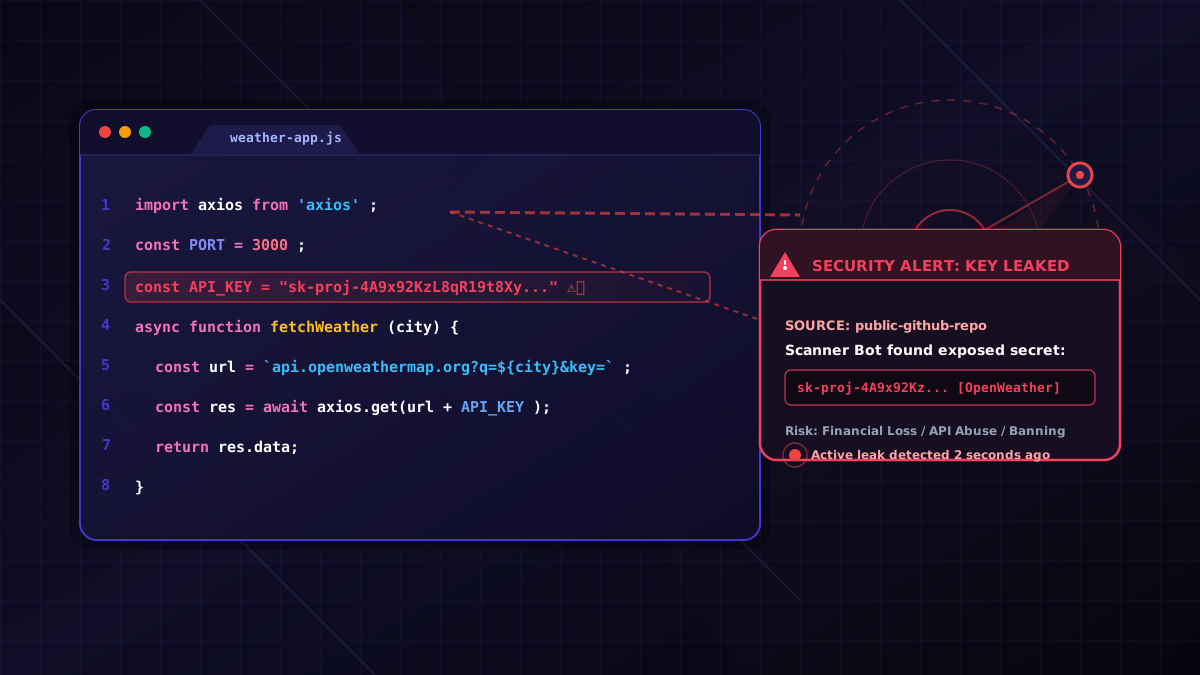
- Malicious Code: Scripts that run during installation to steal environment variables (like your API keys).
- Data Leaks: Packages that "phone home" with your local data or browser history.
- System Compromise: Opening a shell that gives remote access to your machine.
- Breaking Your Project: Malicious updates that intentionally delete files or corrupt your repository.
🔥 How to Stay Safe: Actionable Steps
- 1. Check Popularity: Look for at least a few thousand weekly downloads. High usage usually means more eyes on the code.
- 2. Check the GitHub Repo: Does it have stars? Is the last commit recent? An abandoned repo is a security hole.
- 3. Look at the Author: Is it a known organization or a random account created yesterday?
- 4. Avoid One-Off Packages: If there's a well-known library that does the same thing, use it instead of a random utility.
- 5. Run
npm audit: npm has a built-in tool that scans your projects for known vulnerabilities. Use it! - 6. Lock Your Versions: Use
package-lock.jsonto ensure you aren't accidentally pulling in a broken "minor" update.
✔ Quick Safety Checklist
Before you hit Enter on npm install, tick these boxes:
npm auditRisky Behavior vs. Safe Practice
| Risky Behavior | Safe Practice |
|---|---|
| Installing a package with 50 weekly downloads based on a random tutorial. | Searching for the top-rated alternative for that specific functionality. |
| Ignoring "Vulnerability Found" warnings in the terminal. | Running npm audit fix immediately to patch known security gaps. |
| Not checking if the package has a linked GitHub repository. | Verifying the source code and observing the community engagement. |
Essential Tools in Your Terminal
You don't need to be a DevOps engineer to stay safe. Just remember these two commands:
# Scan for vulnerabilities
npm audit

# Fix minor issues
npm audit fix
Final Insight
Being a developer isn’t just about writing code that works. It’s about knowing what you can trust. The npm ecosystem is a beautiful example of open-source collaboration, but it’s our responsibility to use it wisely.
Don't be afraid to use packages—just be smart about which ones you let into your project.
“Your terminal is a powerful tool. Don't hand the keys to a stranger.”
Stay Updated with VikizCode 🚀
Join us to get fresh web dev guides, AI tools, and deployment tips directly in your inbox.
NO SPAM. JUST PURE GEEKY GOODNESS.